Pick a direction: chat line, dashboard home, live screen
Lane 6, unit B0. Three options each, every one real code running here: Arc’s free components (uiarc.dev, MIT) styled to Halo’s colours, type and corners, on the screen judge’s own scene data (v2/screens/scenes.ts: live-busy and dash-home). The names are the scene’s invented viewers. Nothing in her app has changed; this page is a proposal. Tell HALO one number per section, e.g. “chat 1, dash 3, live 2”.
9 optionsnot verified yet
1 · Her chat line
“only in the metadata”Shaan, 14 Oct 12:09: chat shows no site on each line
“Chaturbate is primary.”HALO-MAP line 183
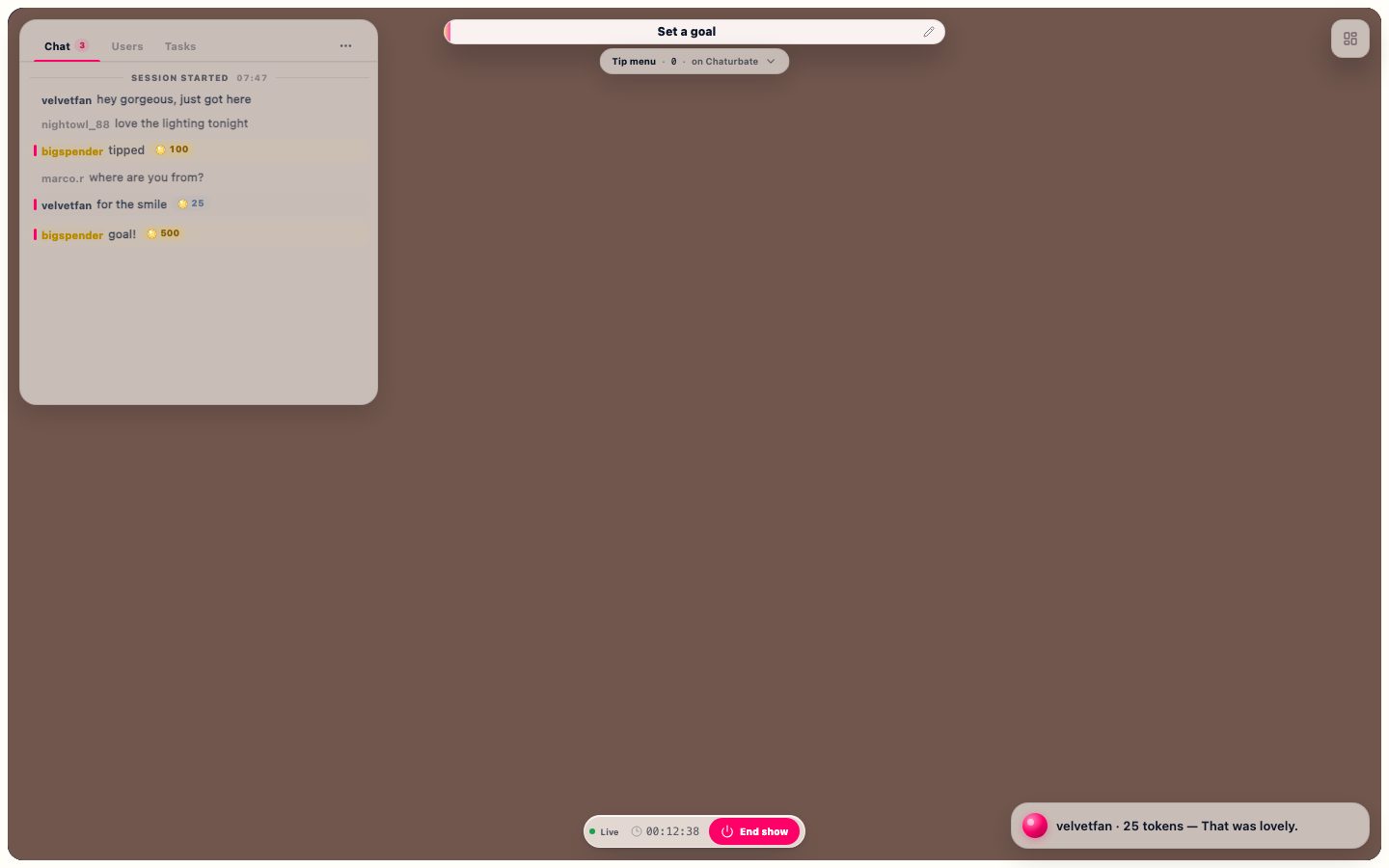
Today (live-busy, decided at a20b07b00d): one line per message, the site already off the line.
Arc’s own chat thread as it ships: grouped bubbles, avatars, day divider. A tip is a message that says so.
Arc parts: arc:chat-thread (943 lines), arc:segmented-control Cost: +1 large Arc part; a name cannot open the person card (Arc has no slot), so B1 would wrap it
Two-line rows with an avatar; every tip is its own card and its amount counts up. Tips lead, chat stays quiet beneath.
Arc parts: arc:avatar, arc:animated-counter, arc:badge, Halo’s arc:popover Cost: zero new deps; taller lines, so fewer fit (6 here, ~9 today)
not verified yet
2 · Her dashboard home
“I didn’t really mean simpler dashboard. We’re gonna swap over the Arc UI comps and do a complete revamp from the UI that we like afterwards.”Shaan, 14 Oct 21:10
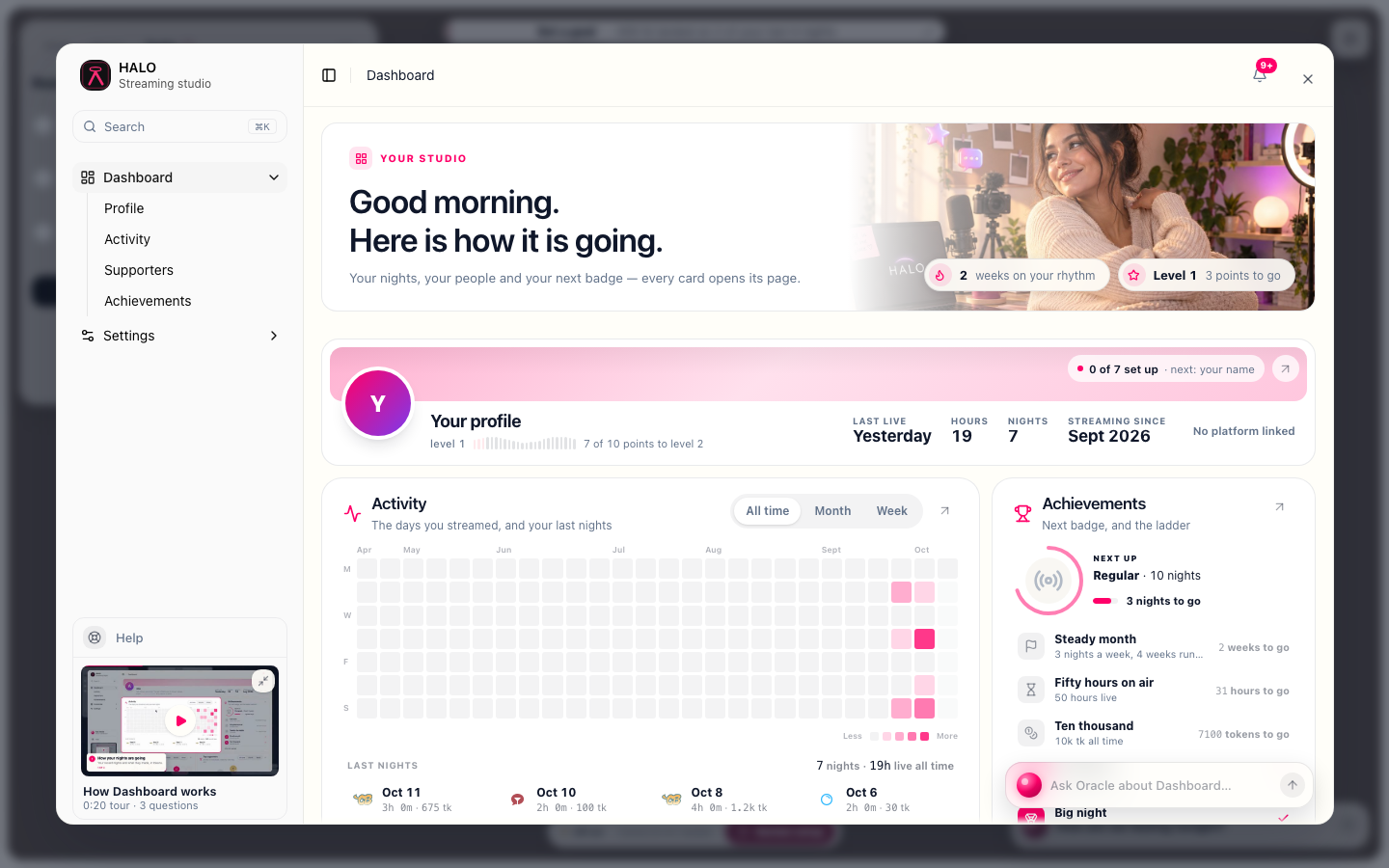
Today (dash-home, decided at a20b07b00d): hero, profile band, activity, achievements, then five more cards below the fold.
ADR 0003’s order: a glance band of four Arc metric cards, then the work band (her nights as a heatmap, top fans per site), then detail (last nights, next badges).
Arc parts: arc:metric-card, arc:animated-counter, arc:activity-heatmap, arc:segmented-control, arc:avatar, arc:progress Cost: zero new deps (motion is framer-motion, already in both apps)
What is next on the left, her nights as an Arc timeline in the middle (each night opens in place: who tipped), hours per night and fans on the right.
Arc parts: arc:timeline, arc:bar-chart, arc:progress, arc:badge, arc:segmented-control Cost: zero new deps
not verified yet
3 · Her live screen
“You’re live” always showing is not a nice touch. · “Live on Chaturbate” bottom-left and its pills are not nice either. · He can’t find the Oracle chat while live. · He can’t drag the chat or tips panels. · “Wrapping up” isn’t clean.his live notes 1, 2, 4, 7, 8 (HALO-MAP 166-173)
Pressing Go Live gives no animation or confirmation.HALO-MAP line 199
Today (live-busy, decided at a20b07b00d): chat top left, goal top centre, Live / timer / End show at the bottom.
Today’s layout, fixed: chat and tips panels drag by their grip; one bar holds Live, the timer, Chaturbate +2, Oracle and a hold-to-end. “You’re live” shows once as the Go Live toast.
Lab:drag a panel by its grip · hold End show
Arc parts: arc:toast, arc:hold-to-confirm, arc:text-shimmer, arc:animated-counter, arc:segmented-control, Halo’s arc:popover Cost: zero new deps (drag is framer-motion)
The stage keeps the left; a rail on the right switches Chat, Tips and Oracle, so Oracle is one tap away. New tips also land on the stage as an Arc toast stack.
Lab:drag a panel by its grip · hold End show
Arc parts: arc:toast-stack, arc:toast, arc:segmented-control, arc:hold-to-confirm Cost: zero new deps; the rail takes 380 px of her picture
Nothing on her picture but the newest four lines, fading, and one dock. Chat, tips and Oracle open from the dock as panels she can drag.
Lab:drag a panel by its grip · hold End show
Arc parts: arc:toast, arc:hold-to-confirm, arc:badge, Halo’s arc:popover Cost: zero new deps; chat is one tap further away
not verified yet
What a new look cannot fix
Last session’s chat above the new one (note 3) is her feed reading the wrong rows: a data fix in B1, whatever line you pick. Every option here starts at “Session started”.
The dashboard opening slowly while live (note 5) is speed, not look: B2 holds it to under 300 ms on the Mini.
The camera lag (note 8) is the engine, not the UI: its own lane.
Oracle’s answers are not in the scene: the Oracle panel shows where she reaches it while live, not what it says.
Tokens are never summed across sites (a token is worth a different amount on each): every total here is per site.
Option 1.2 (Arc’s chat thread) cannot open the person card from a name; Arc’s thread has no slot for it. B1 would wrap it.
Inter loads from rsms.me (her app’s font stack); Arc’s items were fetched from uiarc.dev on 2026-10-15.
My pick (HALO decides with you)
Chat 1, Quiet line: it keeps the look she likes (20:49 “let’s not change it too hard”), the site lives only in the person card, and it fits the most lines. Dashboard 1, Bands: it is ADR 0003’s order, the glance band answers “how did last night go” in one look, and options 2 and 3 can lend it their line chart and timeline later. Live 1, Floating panels: it answers notes 1, 2, 4, 7 and 8 without moving her picture, and she already knows the layout. Live 2 is the pick if Oracle should never be more than one tap away.